 Crew Dibs
Crew Dibs is a messenger for crews that get things done. When a job comes up in the chat, AI suggests who should take it — and nothing is assigned until you approve it.
Save this website to your iPhone Home Screen
For cleaning crews, contractors, field teams, and any small business that runs on group chat.
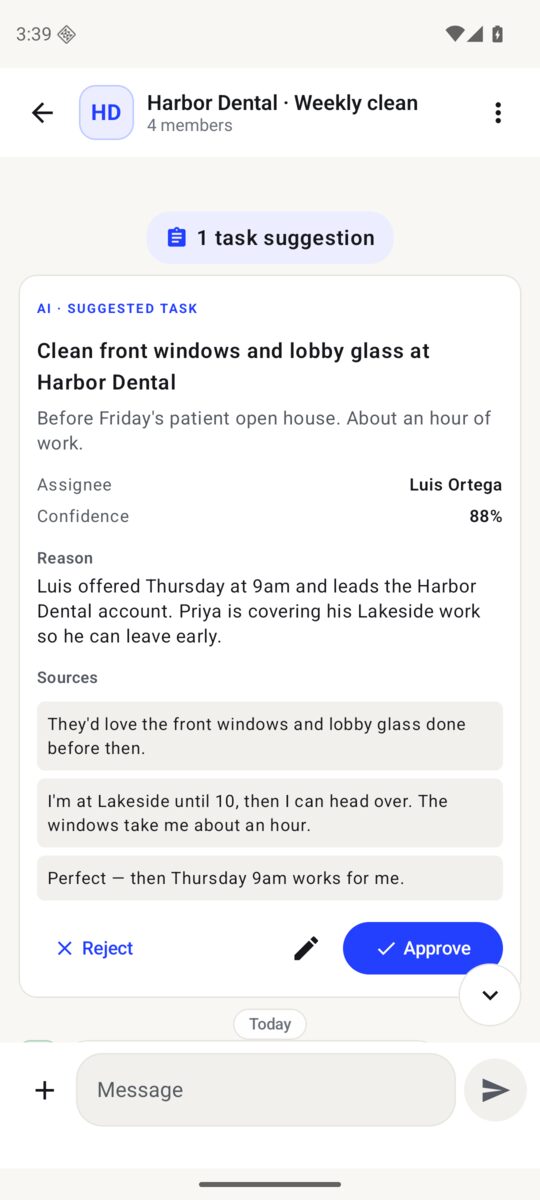
Your crew keeps talking the way it already does. Crew Dibs turns the conversation into clear, accountable work.
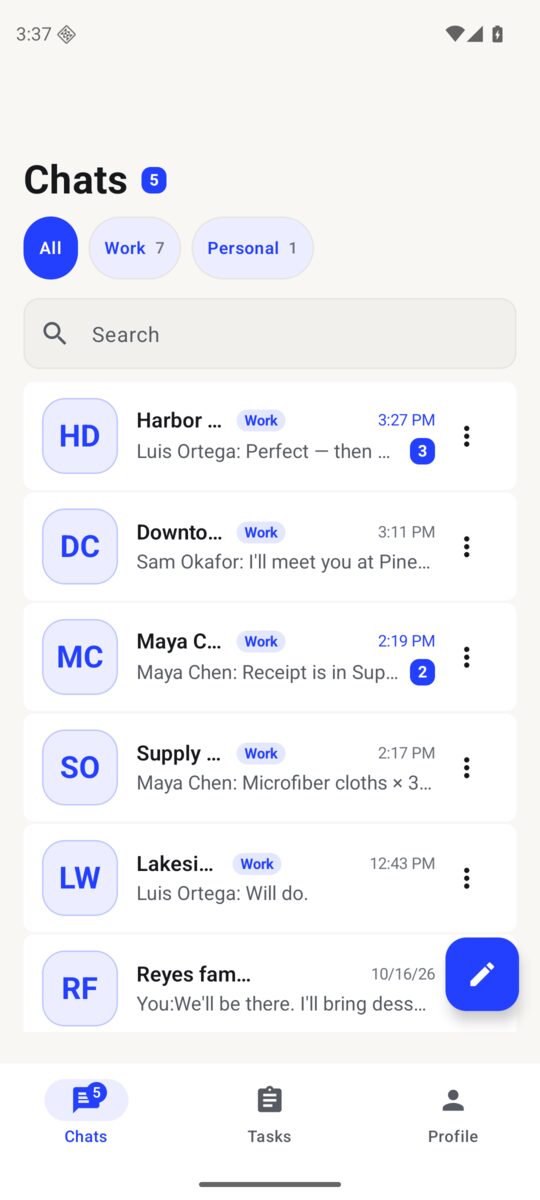
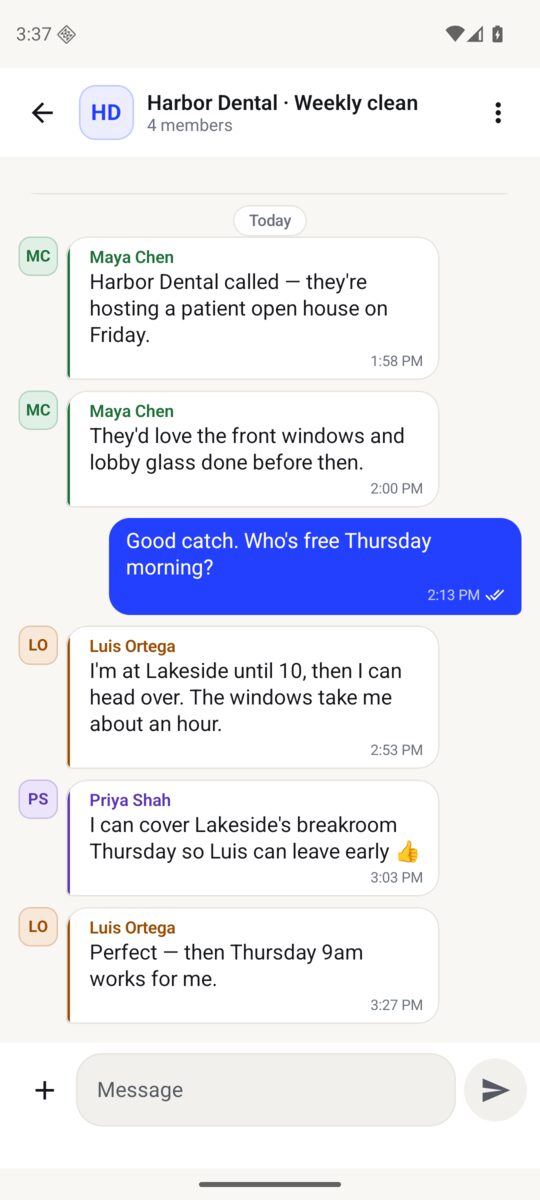
Group chats and one-on-one chats with your crew, with photos and videos.
Tap Suggest tasks and Crew Dibs drafts the job: what, who's the best fit, when, and why — with the messages it's based on.
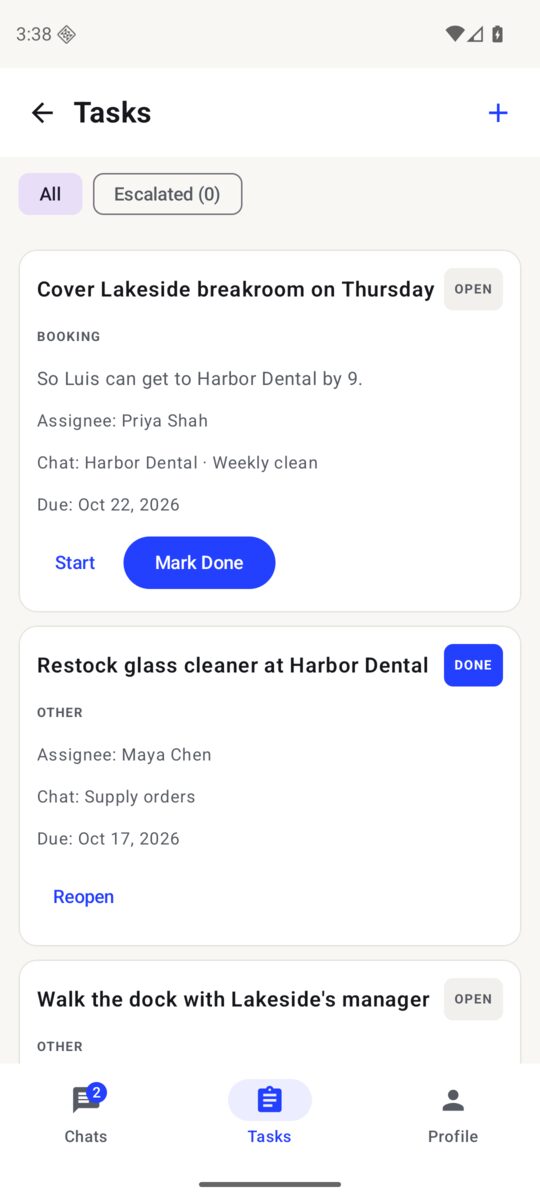
Approve, edit or reject. Approved jobs land on the Tasks list with an owner and a due date.
Real screens from the app, with a sample crew.
Built for teams of a few people up to a hundred.
Add a Home Screen shortcut for quick access to Crew Dibs information and support. No App Store download is needed. This opens the website only; chats and tasks still require the Crew Dibs app.
If you see Open as Web App, you can leave it on to open the website in its own window. It still shows the same website. Keep using your installed Crew Dibs app for messaging.
See Apple’s illustrated instructions